Best case
Full training
- Aligned point geometry
- Usable imagery
- Scan and camera positions
Result: full optimized Gaussian Splat.
Matterport Pro3 workflow
Already have an E57 export from Matterport Pro3? Upload it directly to e57.gs and turn the aligned scan into a browser-ready Gaussian Splat.
e57.gs inspects the E57 first, detects the geometry, imagery and scan positions available in the file, and selects the supported processing path automatically.
Workflow
Keep the original Matterport E57 export intact and let e57.gs inspect its contents before processing.
Pro3 combines LiDAR scanning with panoramic imagery and supports E57 exports for engineering and AEC workflows.
Download the aligned E57 from your Matterport workflow and keep the original file extension and contents.
The service inspects the available geometry, imagery and scan positions before choosing a processing path.
Open the completed Gaussian Splat in the browser and download the generated asset.
Real workflow
See the same upload, cloud processing and browser-preview flow you will use for your own Pro3 export.
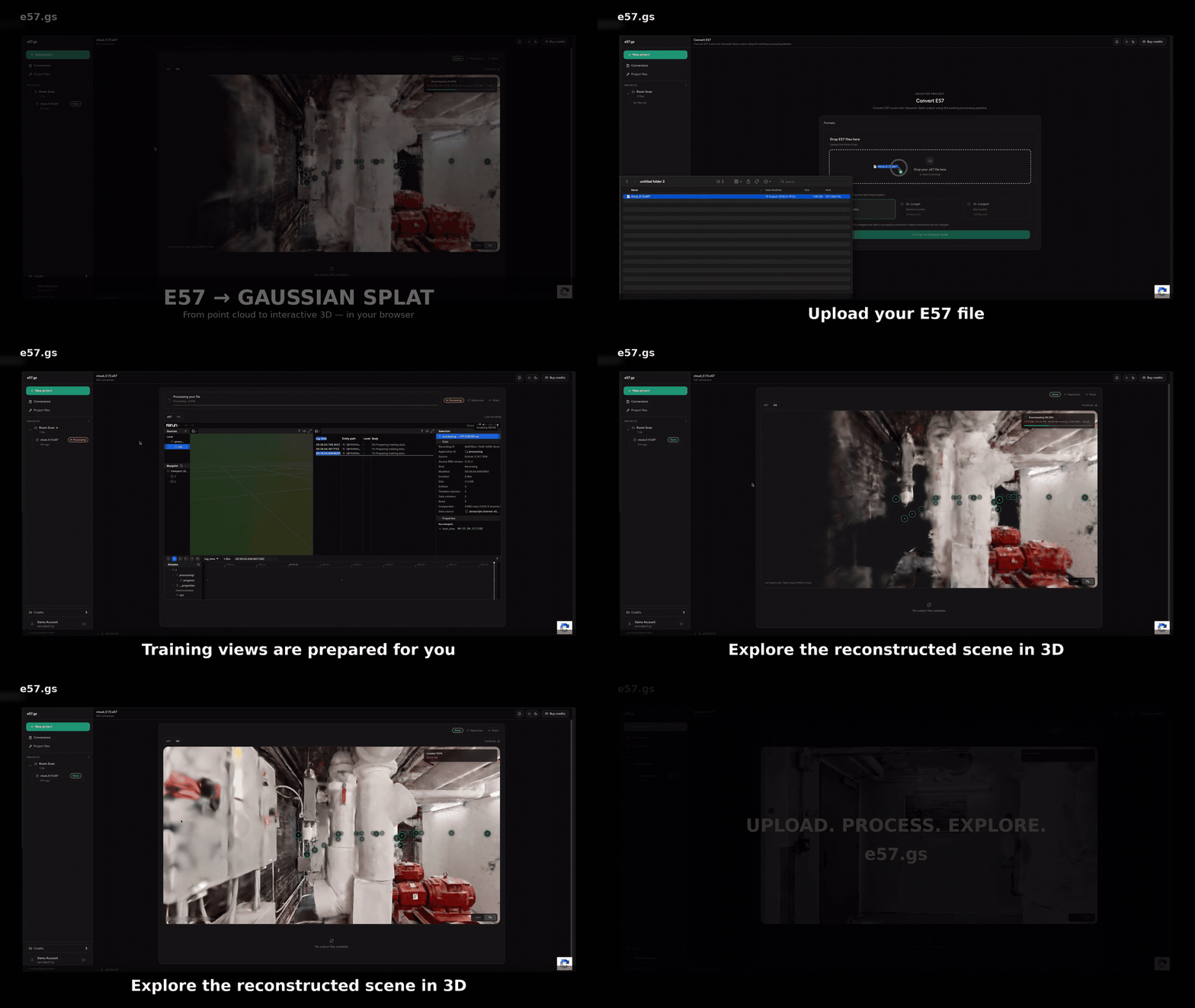
Processing paths
A Pro3 export can support different results. e57.gs checks the source instead of assuming every Matterport E57 contains the same observations.
Best case
Result: full optimized Gaussian Splat.
Fallback
Result: geometry-based splat with fixed appearance.
Uploading the file is the fastest way to know. e57.gs inspects the source before a successful conversion is charged.
Matterport Showcase URL
Not directly. A public Matterport Showcase URL gives access to the hosted viewing experience, not necessarily to the underlying E57, panoramas, poses or other source assets required for reconstruction.
If you own the Matterport capture, export the available source data instead. For Pro3 workflows, an E57 export is the preferred input for e57.gs.
FAQ
Yes. e57.gs accepts E57 files and has been tested with Matterport Pro3 exports. The available processing path depends on the imagery and scan-position data contained in the export.
Yes. Matterport provides E57 exports for Pro3 workflows. Use the most complete E57 available from your Matterport workflow as the input for e57.gs.
Not directly. A public Matterport Showcase URL provides the hosted viewing experience, not necessarily the E57, panoramas, poses or other source assets required for reconstruction. If you own the capture, export the available source data instead.
The automated e57.gs workflow currently accepts E57. If you only have MatterPak or other Matterport assets, contact us before processing.
A successful conversion includes a browser preview and the Gaussian PLY or SPLAT asset produced for the completed result.
Typical successful jobs take around 12–40 minutes. File size, source contents and available processing capacity can affect the total time.
Upload the export, let e57.gs inspect it and see which processing path the file supports.
Upload Matterport E57